
JCreator is a powerful IDE for Java. It allows building both web-based and Applet Java applications in an easy and effective manner as it comes packed with a lot of handy features and functions.
JCreator is truly comprehensive and doesn't lack any basic features or editing functionality. Unlimited undo and redo capability, color syntax highlighting, word completion, bookmarking, automatic indenting, code folding – these are just a few examples. Furthermore, it provides a powerful search and replace engine that can be used both for single and multiple documents.
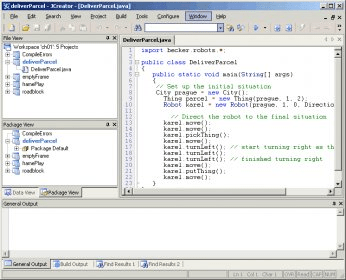
Probably the biggest advantage of JCreator is its highly-customizable, easy-to-use and intuitive interface. The flexible yet straightforward interface makes JCreator suitable for programmers of every experience level, from beginners to Java-experts. The dockable toolbars and tabbed documents are just a few of its positive traits. Anyway, since JCreator truly cares about being easy-to-use and effective, it also includes handy interface wizards, like the “Class and Interface” wizard. Furthermore, your work can be sped up with the use of project templates.
Cutting long story short, JCreator is a great tool, both powerful and easy-to-use. It’s perfect for a lot of Java programming tasks, from the basic editing and testing of Java code, to debugging and compiling Java apps.






Comments (1)
Seems they no longer exist, except to collect their money for trial version.